TL;DR: The best mobile app prototyping tool depends on your stage. Use low-fidelity tools like Balsamiq for early brainstorming, high-fidelity tools like Figma or ProtoPie for testing real interactions, or Bubble to skip the prototype-to-production rebuild entirely.
If you’re building a mobile app, the tool you use to prototype it matters more than people think. Most prototyping tools are designed for web first — touch gestures, native device features, and on-device testing tend to be added on rather than built in. When you’re designing for mobile, those gaps add up.
This guide covers 10 tools worth considering at every stage, from quick wireframes to building and shipping the real app.
Building a web app instead? Here are our favorite tools for prototyping web apps.
What kind of mobile app prototyping tool do you need?
A mobile app prototype is an interactive mockup that shows how your app will look and work. The right tool depends on what stage you’re in: low-fidelity wireframing tools like Balsamiq suit early-stage brainstorming, while high-fidelity tools like Figma or ProtoPie are better when you need to test real interactions or validate design decisions. And if you want to skip the prototype-to-production rebuild entirely, Bubble lets you build the real app from the start. There are two main levels: low-fidelity and high-fidelity.
- Low-fidelity prototypes — often called wireframes — are static or near-static screen representations. They’re useful for mapping out user flows and communicating layout concepts early, but they don’t show much about how navigation, animations, or interactions will feel.
- High-fidelity prototypes more closely resemble the finished app. They support interactive designs and can include audio, animations, and other effects to simulate how the real thing will behave.
High-fidelity prototypes give you and your users something meaningful to react to. Some tools, like Bubble, go further and let you build the real app from the start rather than a simulation of it.
In the reviews below, we’ll note which type each tool is best suited for.
Top mobile app prototyping tools at a glance
Best for low-fidelity wireframing: Balsamiq. Balsamiq is built for early-stage wireframing — mapping out user flows, sketching screens, and communicating product concepts before moving into detailed design. It’s collaborative and has a low learning curve.
Best for high-fidelity prototypes: Figma. Figma is a widely used design tool that also supports prototyping. It includes animations and interactions for simulating how functionality will work, and its design files are easily exportable for handoff.
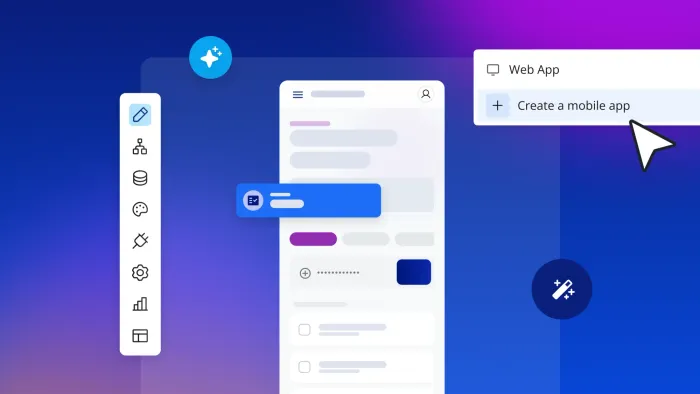
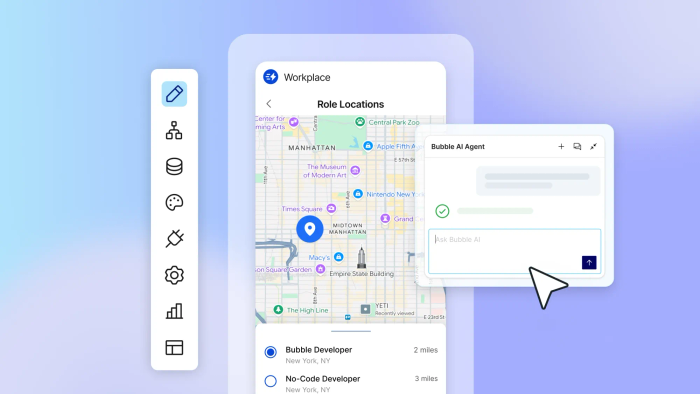
Best for going from AI-generated idea to real, launchable web and native mobile apps: Bubble. Most tools stop at the prototype. Bubble is where you build the actual app. Describe what you want and Bubble AI generates a working web app foundation in minutes, including UI, database, workflows, and logic. For mobile, native AI generation is in beta and expanding. You can also import your Figma designs and add real functionality from there. Either way, what you end up with isn’t a mockup — it’s a full-stack app you can submit to the App Store and Google Play directly from the Bubble editor.
What to look for in a mobile app prototyping tool
The right tool depends on what you need from a prototype. A few questions worth thinking through before you choose:
- Do you need to validate an idea quickly, or communicate it to stakeholders?
- Are you testing the feasibility of a core feature with your team?
- Do you need detailed designs and user journeys before you start building?
Once you know what you need, here are the features worth comparing:
- Multi-platform previews: Look for tools that let you test on actual devices, not just in a browser. Tools like BubbleGo let you test real functionality on your device as you build, including workflows, data, and native features.
- Interactive elements: If you’re doing user testing or stakeholder reviews, working functionality matters more than static mockups. Look for tools that support mobile app design elements, animations, and real logic where possible.
- Rapid iteration: Check whether the tool supports collaborative edits and quick changes, or whether adding detail means switching to a different platform entirely.
- Templates and libraries: Pre-built components and mobile-specific icon libraries can speed up early-stage work considerably.
- User testing support: If user testing is part of your process, check whether the tool makes it easy to share prototypes on the actual device your users will be using.
- How far it takes you: Some tools get you to a wireframe quickly but stop there. Others support full high-fidelity prototypes. Bubble goes all the way to a production app, so you’re never rebuilding from scratch.
It’s also worth checking whether a tool was designed with mobile in mind or adapted from a web-first product. Mobile-specific UI patterns, gesture support, and device previews vary a lot across tools.
Here are our recommendations by goal:
- For quick wireframing to validate or communicate early ideas: Balsamiq, Mockplus, Proto.io, or UIzard
- For detailed UI design: Figma; for turning those designs into a launchable full-stack app, Bubble
- For testing functionality or user journeys: Bubble, Glide, or Justinmind
- For user testing: ProtoPie or Marvel
- For building and launching real apps from the start: Bubble
The best mobile app prototyping tools (comparison table)
Here’s a quick overview of all 10 tools, with use cases, key features, pricing, and prototype types at a glance.
| Tool | Best use case | Key features | Pricing | Prototype types |
|---|---|---|---|---|
| Bubble | Building prototypes and turning them into functional native apps in one tool | Prototype and build in one place (no rebuilding), full native app functionality, AI-generated app foundations with visual editing for control (native mobile AI in beta), shared backend with web, databases and workflows | Start building for free; upgrade when you’re ready to launch or scale (verify current pricing on Bubble’s pricing page) | Low-fidelity all the way to fully functional native apps |
| Balsamiq | Collaborative and quick brainstorming for user flow and product concepts | Collaborative wireframing, easy to use, pre-built elements, interactive prototypes from wireframes | Verify current Starter, Teams, and Enterprise pricing on Balsamiq’s official pricing page | Low-fidelity with interactivity |
| Figma | Prototypes focused on UI/UX designs | State-of-the-art design tools, user flows, animations, variables and conditionals | Paid plans start at $16 per user per month (Professional, annual billing) | High-fidelity with interactions |
| ProtoPie | High-fidelity prototypes for user testing | Dynamic and multimodal interactions, native device sensors, API and database connections | Paid plans start at $25 per user per month | High-fidelity |
| Glide | Rapid functional prototyping using internal data | Build from existing data sets, functional workflows | Paid plans vary; Explorer starts at $25/mo, Maker at $60/mo, Business at $249/mo (monthly billing) | High-fidelity with functionality |
| Justinmind | Templated mobile app prototypes focused on functionality | Strong template library, advanced emulators and conditions, data-driven prototypes | Verify current pricing on Justinmind’s official pricing page (Professional roughly $19/month annual or $29 month-to-month) | Low-fidelity to high-fidelity |
| Mockplus | Rapid prototyping using templates | Strong template and component library, interactions, flowcharts | Pricing varies by product (Mockplus RP, DT, Cloud); verify current pricing on the official page | Low-fidelity to high-fidelity |
| Marvel | Quick prototypes focused on user validation | Built-in user testing, basic prototyping and wireframe tools | Team plan: $42/month billed yearly for three users; verify other tiers on Marvel’s pricing page | Low-fidelity |
| UIzard | Experimenting and idea-generating with AI | AI-powered screen generation for prototypes, generate design themes and modify components | Paid plans start at $12 per user per month | Mid-fidelity |
| Proto.io | Fast prototyping from quick wireframes to realistic high-fidelity prototypes | Pre-built components, advanced animations, 80+ events and 40+ actions, fast editor | Plans start at approximately $24–29 per month | Low- to high-fidelity |
Deep dive: Prototyping tool overviews
If you have a shortlist in mind, the reviews below cover each tool in more detail.

Bubble: Best for going from prototype to fully functional native app — without starting over
Most prototyping tools have a built-in expiry date. You validate your idea, collect feedback, and then hand everything off to a dev team to rebuild from scratch.
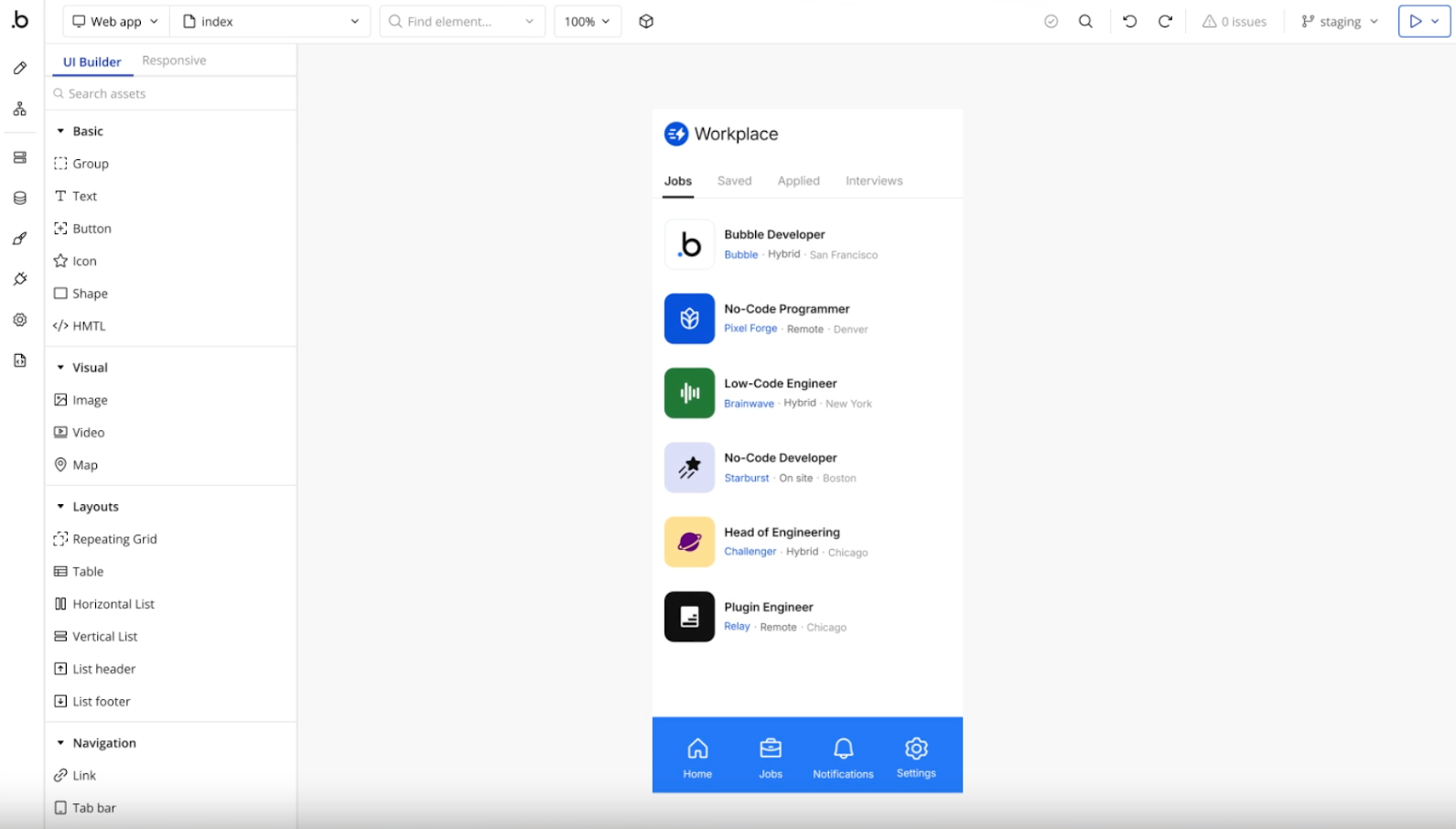
Bubble skips that step. You’re building the real product from the start. Describe your app and Bubble AI generates a working web app foundation in minutes — UI, database, workflows, and logic all visual and editable from day one. For mobile, AI generation currently covers UI and dynamic expressions, with workflow generation in active development. Native mobile is still in beta.
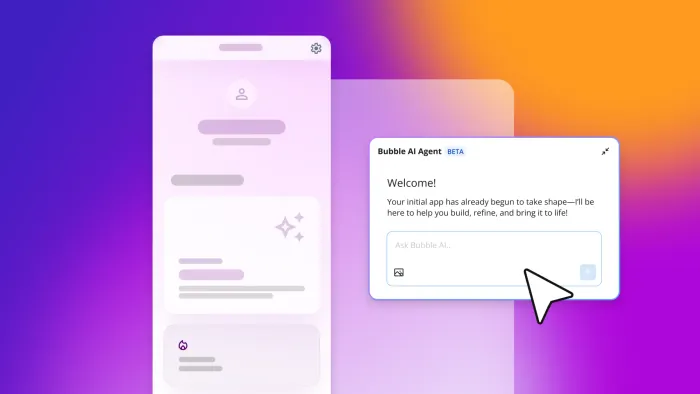
Once the foundation is there, the Bubble AI Agent (beta) helps you add features, troubleshoot, and iterate through conversation. Or switch to the visual editor whenever you want to adjust something directly. If you’ve already designed in Figma, you can import those files and build on top of them on Bubble rather than starting over.
Throughout all of this, you’re working with the actual app, not a simulation. You can test on real devices using BubbleGo at any point, and when you’re ready to ship, Bubble handles the app store build and submission process from within the editor, after completing Apple and Google’s setup, testing, and review requirements.
Bubble’s depth does mean a steeper learning curve than simpler wireframing tools. If you just need a quick sketch to share an idea before any building happens, a dedicated wireframing tool like Balsamiq will get you there faster.
Pricing
Bubble has a free tier for building and testing. Paid plans are required to launch and scale; verify current pricing on our pricing page. Apple Developer Program and Google Play Console fees may also apply for app store publishing.
Balsamiq: Best for low-fidelity designs and brainstorming
Balsamiq is built for early-stage wireframing. The intentionally low-fidelity style keeps the focus on user flows, layout structure, and product concepts rather than visual polish, which can help teams align on the basics before investing in detailed design.
Multiple users can collaborate on the web-based tool, sketching out screens and linking them to show user flows. The library of pre-built UI elements covers common patterns, and Balsamiq now supports generating interactive prototypes from wireframes. The learning curve is minimal.
Limitations: Balsamiq is a wireframing tool, not a full app-building platform. Once you’ve validated your concept, you’ll need to move to a different tool to build the actual app.
Pricing
Balsamiq has shifted to editor-based pricing with Starter, Teams, and Enterprise tiers. Verify current pricing and project limits on Balsamiq’s official pricing page.
Figma: Best for design-first prototypes

Figma is widely used for UI/UX design and prototyping. Prototypes can include variables, conditional logic, animations, and interactions. Figma Make also lets you add a backend to functional prototypes and web apps.
Standard Figma design prototypes are simulations rather than functional apps — they’re useful for design review and user testing, but not for testing real data or native device features. When you’re ready to move from a Figma prototype to a working mobile app, you can import your Figma designs into Bubble and add workflows, databases, and native mobile functionality from there.
Limitations: Standard Figma prototypes don’t support native device features. While Figma Make and backend capabilities expand what’s possible, you’ll still need a separate tool to ship a real native app.
Pricing
Figma offers four plans (pricing varies by seat type and billing cycle; verify current pricing on Figma’s official pricing page):
- Free: For individuals who need basic prototype design tools
- Professional: Starts at $16 per user per month with annual billing (small teams and more advanced prototyping)
- Organization: For unlimited teams and centralized assets
- Enterprise: For custom workspaces and advanced features and security
ProtoPie: Best for user testing your high-fidelity prototypes
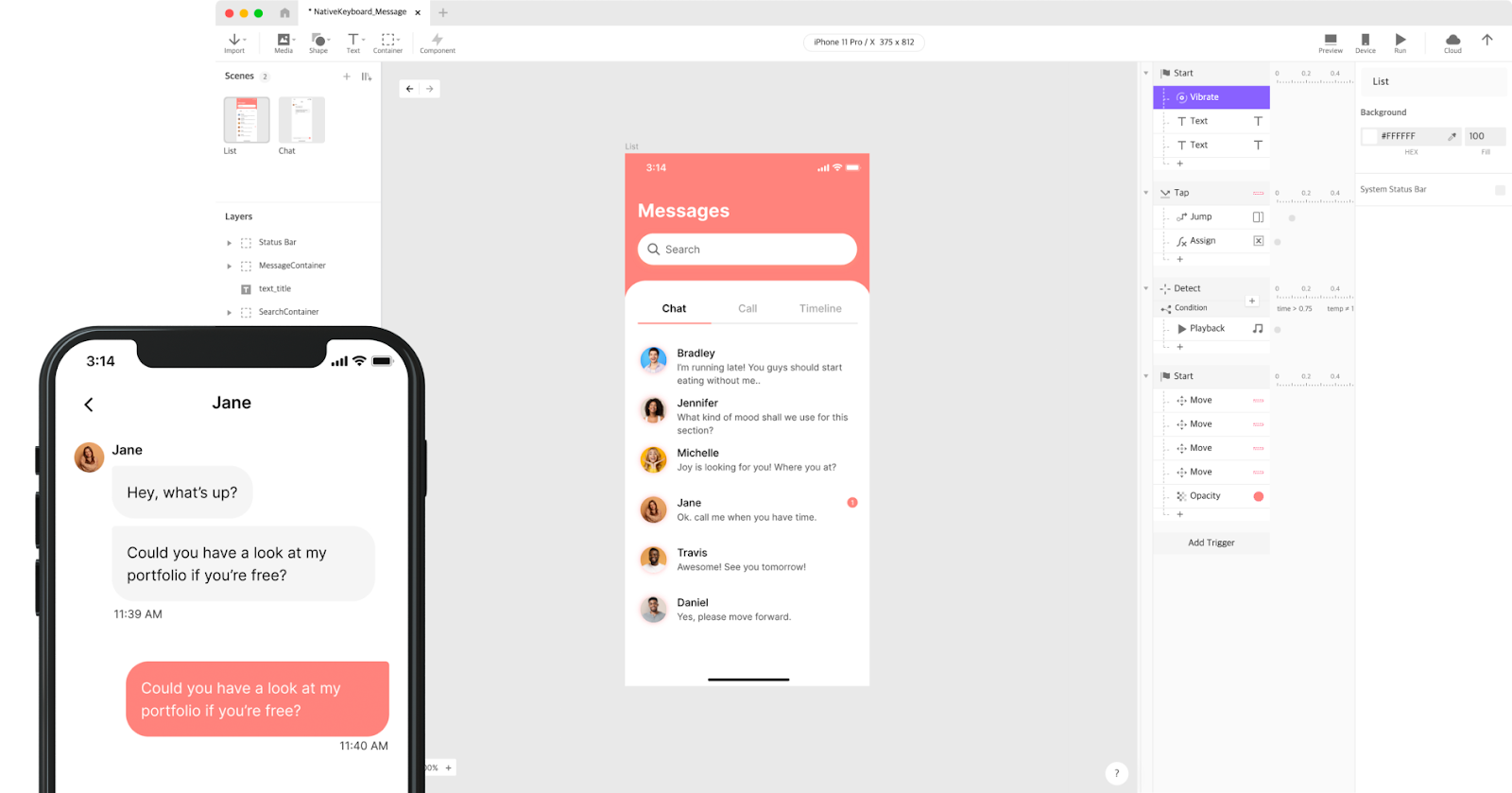
ProtoPie is a prototyping tool built for high-fidelity interactions, with a particular focus on mobile. It supports dynamic interactions, logic and variables, conditionals, mobile gestures, native device sensors, and connections to APIs and databases through its API plugin. That makes it well-suited for user testing where realistic behaviour matters.
Prototypes can be shared via custom links and previewed on any device, including mobile, tablet, desktop, and Wear OS smartwatches. ProtoPie is a prototyping tool rather than a production app builder, so production development happens in a separate environment.
Limitations: ProtoPie interactions can include variables, conditions, sensor input, and API or database-connected behaviour, but it isn’t a production app builder. You’ll need a separate tool to ship.
Pricing
ProtoPie offers four plans:
- Free: 2 prototypes saved in the cloud, 2 scenes per prototype, 50MB storage
- Basic: $25/month for up to 20 prototypes on the cloud with a maximum of 10 scenes per prototype
- Pro: $47 per editor per month for unlimited projects
- Enterprise: Custom pricing for advanced features and security, built-in user testing, and more
Glide: Best for rapid prototyping with internal data

Glide builds mobile apps from existing data sets — Google Sheets, Excel, or Airtable — so you don’t need to set up a database from scratch. Founded in 2018 and part of Y Combinator’s Winter 2019 cohort, Glide reports that users have created business software for more than 100,000 companies. You can also use Glide AI to generate an app structure from a text prompt.
Glide primarily builds Progressive Web Apps (PWAs) rather than native apps. They display well on mobile, but if you need native app store publishing, check Glide’s official docs for current capabilities and limitations before committing.
Limitations: Glide’s PWA-based approach limits some native mobile capabilities. Glide’s push notifications feature was deprecated in December 2024, and app store publishing options should be verified against Glide’s current official docs. Pricing is based on “updates” and private users, which can increase as your internal team grows.
Pricing
Glide offers multiple plans:
- Free: For basic use with limited features
- Explorer: $25 per month
- Maker: $60 per month
- Business: $249 per month
- Enterprise: Custom pricing for more data storage and users
Justinmind: Best for advanced mobile app prototypes

Justinmind is built around components and functionality. It includes a library of gestures and effects, advanced emulators, conditions, and sequences, plus support for data-driven prototypes and drag-and-drop business logic. It also covers wireframing through drag-and-drop pre-built UI elements, so you can work at whatever fidelity the project calls for.
Limitations: Justinmind is a prototyping tool, not a production app builder. You’ll still need a development environment to ship. The desktop app can also feel dated compared to browser-based tools like Figma.
Pricing
Justinmind offers four plans (pricing varies by billing cycle; verify current pricing on Justinmind’s official pricing page):
- Free: UI design and wireframing only
- Standard: Paid tier with core prototyping features
- Professional: Roughly $19 per editor per month with annual billing (around $29 month-to-month)
- Enterprise: Higher-tier plan for advanced collaboration and security
Mockplus: Best for templated mobile app design

Mockplus is built around a template-first approach to prototyping. It includes mobile and web templates and libraries of icons, components, and widgets tailored for Android and iOS, along with animations, interactions, and flowcharts for visualising user journeys.
It covers both low-fidelity and high-fidelity prototyping. Starting from a template reduces setup time, though like other tools on this list, the interactions are simulations rather than real functionality.
Limitations: Mockplus is a prototyping tool. The interactions and animations don’t produce working logic, and you’ll need to rebuild in a development environment to ship a real app.
Pricing
Mockplus offers different pricing across its various products (Mockplus RP, Mockplus Classic, Mockplus DT, and Mockplus Cloud):
- Free: With limitations on users and prototypes
- Paid tiers: Pricing varies by product; verify current pricing on the official pricing page
- Enterprise: Custom pricing for advanced features and security
Marvel: Best for quick prototyping with built-in user testing

Marvel covers basic prototyping and wireframing with a drag-and-drop editor. It also supports importing designs from Sketch.
Its standout feature is built-in user testing. Once you’ve built a prototype, you can invite users to test it and capture how they move through your app using in-app comments and screen and audio recordings.
Limitations: Marvel’s prototyping capabilities are on the simpler side compared to tools like Figma or ProtoPie. It works well for quick validation, but isn’t the right fit for detailed interaction design.
Pricing
Marvel offers multiple pricing tiers (verify current details on Marvel’s official pricing page):
- Free: Entry-level plan with limited projects
- Pro: Individual paid plan with unlimited projects
- Team: $42/month billed yearly for three users and unlimited projects
- Enterprise: For larger teams that need more users, projects, and testing
UIzard: Best for AI-supported prototyping

UIzard uses AI to generate UI screens and design elements. Its main features include:
- Generating mobile app screens or design ideas from text prompts
- Importing images or screenshots (including hand-drawn sketches) to convert them into wireframe designs — note that user reviews on this feature are mixed
- Generating design themes and component variations
UIzard is best suited to early ideation: getting screens on the page quickly, exploring layout options, and experimenting with components. The canvas editor has fewer features than dedicated design tools like Figma, and it doesn’t support real workflows or data connections.
Limitations: UIzard produces design mockups, not functional apps. AI-generated screens are starting points that typically need refinement, and there’s no support for real logic or data.
Pricing
- Free: Up to two projects and three AI generations per month
- Pro: $12 per user per month for 500 AI generations and up to 100 projects
- Business: $39 per user per month with higher AI-generation limits and advanced features (verify the current project limit on UIzard’s pricing page)
- Enterprise: Custom pricing for unlimited projects and increased security
Proto.io: Best for drag-and-drop prototyping using pre-built components

Proto.io has a drag-and-drop editor with a broad component and template set: 250+ UI components, 1,000+ templates, 80+ events, 40+ actions, and advanced animations. It supports the range from quick wireframes to detailed, high-fidelity interactive prototypes. Like the other prototyping tools on this list, it isn’t a production app builder — you’d move to a development environment when it’s time to ship.
Limitations: Proto.io is a prototyping tool, not a production app platform. Verify current data linking and API capabilities on Proto.io’s official site before relying on it for data-connected prototypes.
Pricing
Proto.io offers four plans (pricing varies between monthly and annual billing):
- Freelancer: Approximately $24–29 per month for one user and up to five active projects
- Startup: Approximately $40–49 per month for two users and up to 10 projects
- Agency: Approximately $80–99 per month for five users and up to 15 projects
- Corporate: Approximately $160–199 per month for 10 users and up to 30 projects
A note on Sketch and Adobe XD
Sketch and Adobe XD aren’t on this list because Figma has largely replaced them for most modern product teams. They still work for basic wireframing, but most of the interactive mobile prototyping capabilities covered in this guide are better supported by the tools above.
Ready to build a prototype for your mobile app?
Most builders spend more time choosing a tool than they need to. Pick one that fits your current stage, start building, and adjust as you learn. If you want to skip the rebuild later, Bubble’s free tier lets you start today and upgrade only when you’re ready to launch.
Frequently asked questions about mobile app prototyping tools
How do you prototype a mobile app?
Define your app’s purpose and user flows, then use a prototyping tool to map out screens and key interactions. For functional prototypes, a platform like Bubble generates a working app — workflows, database schema, and logic included — that you can test on real devices and iterate visually based on user feedback.
What’s the difference between prototyping and wireframing?
Wireframing is an early-stage design step focused on structure and layout — showing where elements like buttons and images will go. Prototyping creates a more detailed, interactive model to simulate user experience and test functionality.
Is ProtoPie better than Figma?
ProtoPie and Figma serve different purposes. Figma is the standard for UI/UX design and basic interactive flows, while ProtoPie is built for high-fidelity user testing with advanced features like native device sensor integration, dynamic variables, and complex conditional logic. Many teams use both, designing in Figma and then exporting to ProtoPie for interaction testing.
Can I use the same tool for web and mobile app prototyping?
Some tools handle both, but most are optimised for one or the other. Bubble supports web and native iOS and Android from a single platform, sharing backend, data, and workflows across all three, and generates the required mobile builds for app store submission directly from the editor.
Do I need design experience to use prototyping tools?
No. Most prototyping tools have drag-and-drop interfaces and pre-built templates to get you started. Platforms like Bubble also let you generate a complete working app — UI, database schema, and workflows — just by describing what you want to build.
Build for as long as you want on the Free plan. Only upgrade when you're ready to launch.
Join Bubble